

Whether a website can ever rank is decided during development, not after it. This is what SEO-friendly web development actually involves — the eight engineering decisions that determine your ceiling, and how to tell whether your developer is making them.


What SEO-Friendly Website Development Actually Means
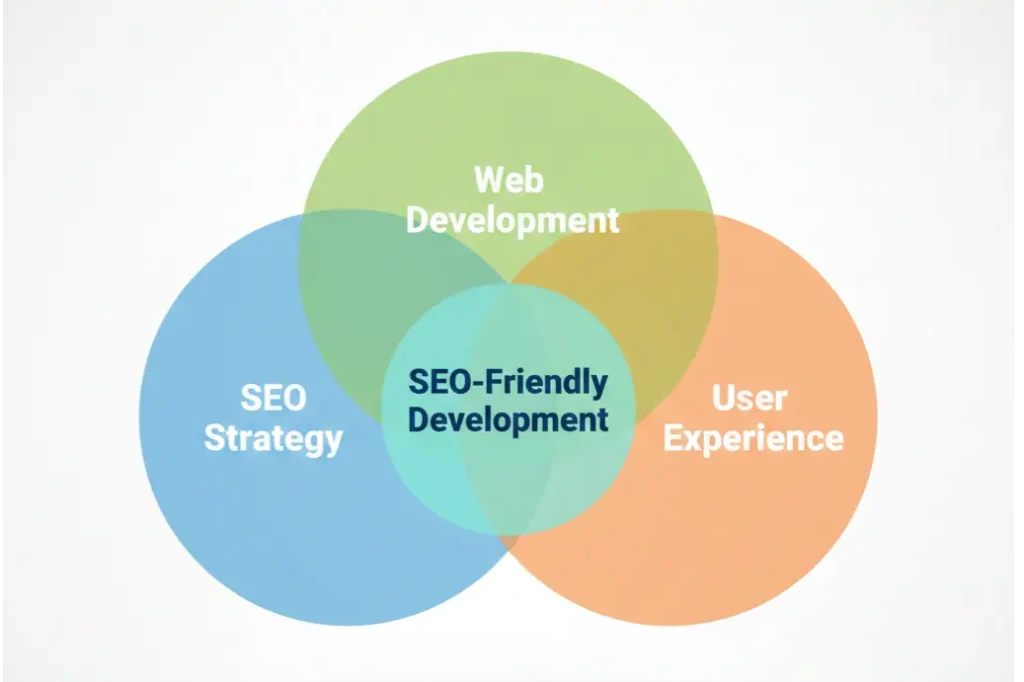
SEO-friendly website development is the practice of making the engineering decisions that determine search visibility during the build itself — architecture, rendering, performance, structured data and internal linking — rather than attempting to retrofit them after launch.
It is not a checklist applied at the end. It is a set of constraints applied from the first line of code, because the most important of them cannot be changed later without rebuilding.
The same discipline goes by several names — SEO friendly website development, SEO website development, SEO friendly web development, SEO optimised web development. They describe one thing: building for search from the first commit rather than the last sprint.
Most people encounter the term after the fact. The site launches, the traffic doesn’t arrive, an SEO agency is hired, and the audit comes back with findings that all trace to decisions made months earlier by people who were never told rankings mattered.
That is the real distinction. SEO in website development is not a phase — it is a constraint, in the same way that accessibility or security is a constraint. You do not add security to a finished application. You do not add crawlability to a finished website either, at least not cheaply.
There is a useful test for whether a build was genuinely SEO-friendly: could an SEO specialist have been in the room during architecture and had nothing to object to? If the answer is no, the site was built and then reviewed. If yes, it was built to be found.
Why SEO During the Build Beats SEO After Launch
The cost difference is not marginal. Some things are trivial before launch and near-impossible after.
| Decision | Cost during the build | Cost after launch |
|---|---|---|
| URL architecture | A conversation | A full redirect programme, plus months of ranking recovery |
| Rendering strategy | A framework choice | A partial or complete rebuild |
| Internal link structure | Built into templates | Manual editing of every page, forever |
| Core Web Vitals | A performance budget | Retrofitting against decisions already shipped |
| Structured data | Part of the template | Bolted on per page, drifts out of sync |
| Content hierarchy | Informs the design | Fights the design |
Where a retrofit budget actually goes
Indicative ranges from our own remediation projects. The revenue lost while the site under-performs is not included — it is usually the largest number of the three.
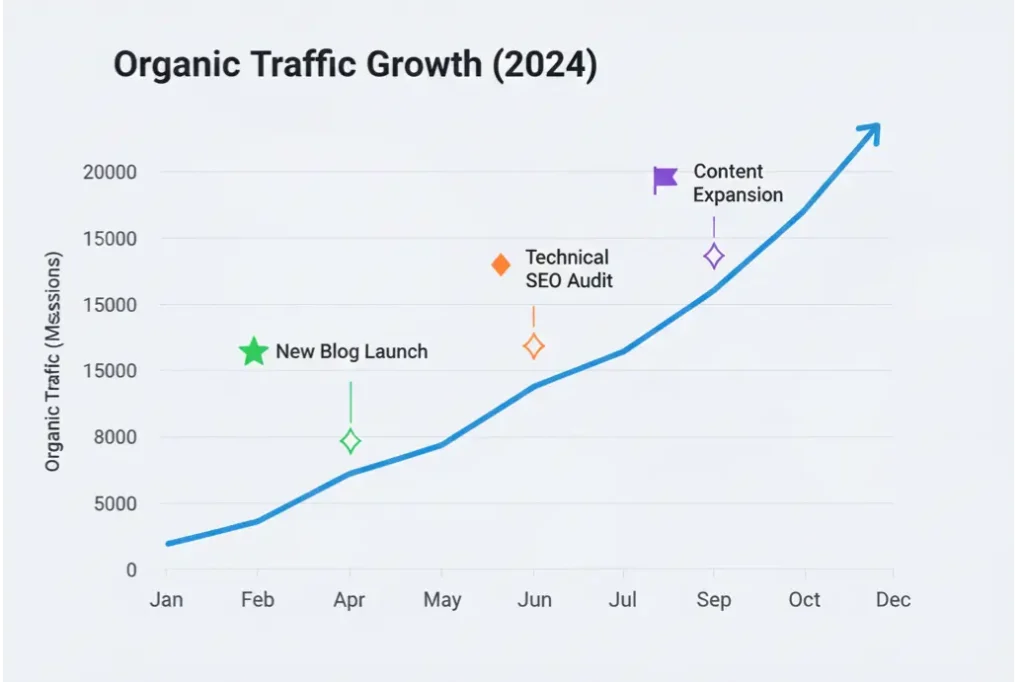
This is why the first six months of most SEO retainers are spent undoing a build. The agency is not slow — it is paying down debt that was created before it was hired.
There is a second cost that rarely gets counted: the ranking equity a redesign destroys. A site that already ranks has years of accumulated signals attached to specific URLs. A migration executed without a proper redirect map discards them, and the new site starts from a lower floor than the old one occupied. If you are replacing a site that already ranks, see our SEO for site migrations.
The compounding works in both directions. A build that satisfies crawlers, Core Web Vitals and language models keeps earning; a build that fights them needs a bigger ad budget every quarter to stand still.
The Eight Pillars of SEO-Friendly Web Development
Each of these is an engineering decision with a search consequence. Each also has a characteristic failure mode you can look for in an existing site.
Crawlability and rendering
Search engines must be able to reach and read your content without executing a heavy client-side application first. Server-side rendering or static generation for anything that needs to rank; client-side rendering only for content behind authentication.
Failure modeView source shows an empty div. If the content only exists after JavaScript runs, you are betting your rankings on a render budget you don’t control.Site architecture and URLs
A flat, logical hierarchy where every page is reachable within three clicks of the homepage. URLs that describe the content, stay lowercase and hyphenated, and never encode session or tracking parameters into the canonical path.
Failure modeImportant pages buried five levels deep, or URL patterns that change when the CMS category changes.Internal linking built into templates
Related content, breadcrumbs, hub links and contextual cross-links generated by the template rather than added by hand. This is what turns a set of pages into a topic a search engine recognises.
Failure modeOrphan pages that exist in the sitemap and nowhere else. If a page has no internal links pointing to it, it does not really exist.Core Web Vitals as a build requirement
A performance budget enforced before code reaches staging: LCP under 2.5s, INP under 200ms, CLS under 0.1. Explicit image dimensions, no lazy-loading on the LCP element, and fonts preconnected and preloaded.
Failure modeVitals measured for the first time in the launch week, when every remaining fix is expensive.Structured data shipped with templates
Organization, Service, Product, Article, FAQPage and BreadcrumbList emitted by the template from real page data — so it stays accurate as content changes, instead of drifting out of sync page by page.
Failure modeSchema hand-pasted into individual pages, describing content that has since been edited.Semantic HTML and heading hierarchy
One H1 per page, H2 and H3 used for structure rather than font size, real landmark elements, and alt text written for meaning. This is the same work that makes a site accessible — the two overlap almost entirely.
Failure modeHeadings chosen by how big they look. Six H1s on one page, or an H4 used because the H2 was too large.Indexation control
Deliberate decisions about what should and should not be indexed — filters, faceted navigation, paginated archives, tag pages, feeds, staging environments. Crawl budget spent on pages that can never rank is crawl budget stolen from pages that can.
Failure modeThousands of filter-parameter URLs in the index, or a staging site indexed alongside production.Migration safety
A full inventory of existing URLs, a one-hop redirect map with no chains, a pre- and post-launch crawl comparison, and ranking monitoring through the transition. Planned in week one, not the night before go-live.
Failure modeTraffic halves in the fortnight after launch and nobody can say precisely which URLs were lost.

Core Web Vitals as a Build Requirement
Performance is the one pillar everyone agrees on and almost nobody budgets for. Treat the three field metrics as acceptance criteria written into the specification, with a number attached, and they are straightforward. Discover them in launch week and every remaining fix collides with something already shipped.
The build-time work is unglamorous and decisive: explicit width and height on every image, the hero image never lazy-loaded, fonts preconnected and subset, third-party scripts deferred or removed, and a CSS payload that ships only what the template uses.
LCP
Largest Contentful Paint — how fast the main content appears.
Budget: under 2.5sINP
Interaction to Next Paint — how quickly the page answers a tap.
Budget: under 200msCLS
Cumulative Layout Shift — how much the layout jumps while loading.
Budget: under 0.1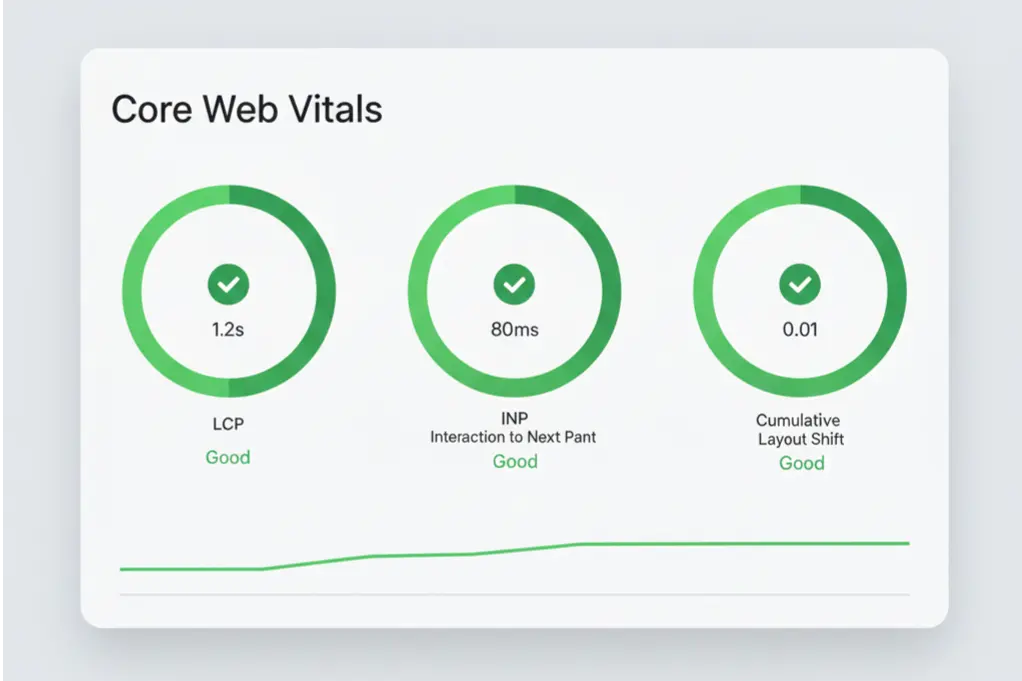

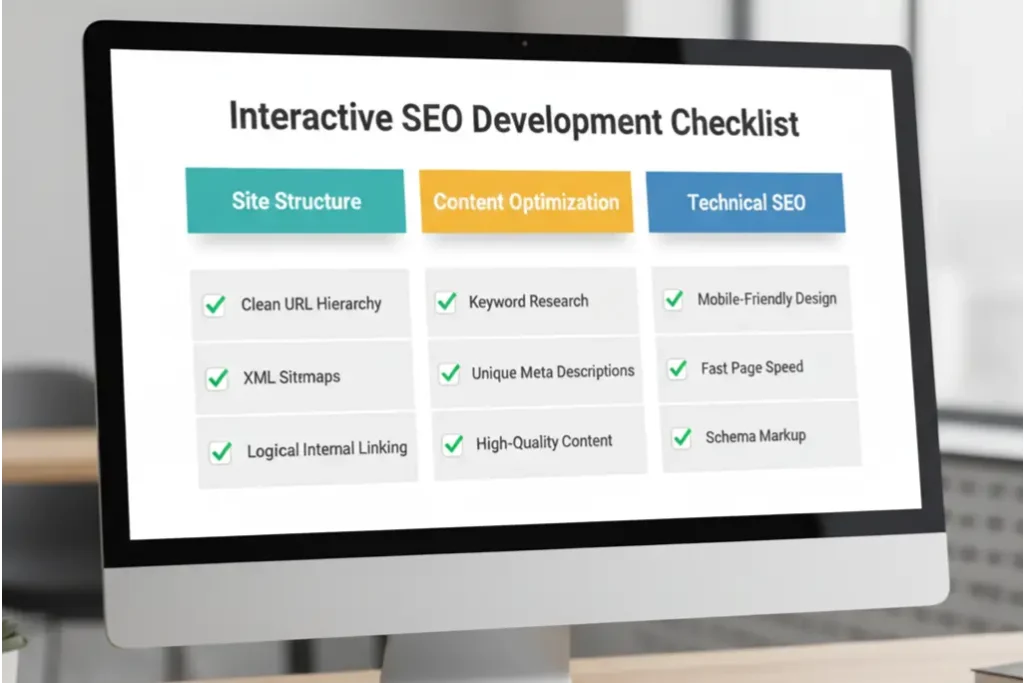
SEO Guidelines for Website Development: The Pre-Launch Checklist
Run this before go-live, not after. Every item is a launch blocker in our own builds.
Launch blockers — all 18 must pass
Any single failure holds the release. No exceptions, no “we’ll fix it next sprint”.
- Content visible in view-source, not only after JS executes
- One H1 per page, unique across the site
- Unique title tag and meta description on every page
- Self-referencing canonical on every indexable page
- XML sitemap generated, submitted, error-free
- robots.txt reviewed line by line — staging rules removed
- All four HTTP/HTTPS and www variants resolve in one hop
- Redirect map complete, tested, zero chains
- Core Web Vitals pass on mobile and desktop
- Every image has alt text and explicit width and height
- LCP element is not lazy-loaded
- Structured data validates with zero errors
- Zero orphan pages — every page has 3+ internal links in
- Crawl depth of 3 or less from the homepage
- Faceted navigation and filter URLs handled deliberately
- GA4 and Search Console verified and receiving data
- Pre-launch crawl archived for post-launch comparison
- Baseline rankings recorded before the switch
How an SEO-Friendly Build Actually Runs
The order matters more than the effort. Search demand shapes the sitemap, the sitemap shapes the templates, and the templates carry the technical work — so nothing has to be revisited later.
Demand and URL inventory
Keyword and entity mapping, plus a full crawl of the existing site so every ranking URL is known before anything is designed.
Architecture and redirect map
The sitemap is agreed against search demand, not the old navigation. Every retiring URL gets a one-hop destination on the day it is retired.
Content hierarchy informs the layout
Headings, answer-first sections and internal-link slots are part of the wireframe, so the design never has to fight the structure.
Templates carry the SEO
Rendering strategy, schema, breadcrumbs, canonicals and related-content modules are emitted by templates from real page data.
The 18-point gate
Performance budget, crawl comparison and structured-data validation all run before anyone books a launch date.
Monitoring through the transition
Rankings, crawl stats and Vitals watched daily, then weekly. A drop that lasts past six weeks is treated as a defect, not patience.

Platform Notes: WordPress, Shopify and Headless
The pillars are universal. How you satisfy them is not.
WordPress
Structurally the most SEO-capable of the mainstream platforms, and the most commonly ruined by its own ecosystem.
- A lean theme, not a heavy page builder. Builders inject CSS and JS that Core Web Vitals never recovers from.
- A real content model. Custom post types and fields, rather than everything living in one WYSIWYG field.
- Plugin discipline. Every plugin is a performance and security liability that outlives whoever installed it.
Shopify
Fast to launch, with a fixed URL structure you cannot change — /collections/ and /products/ are permanent.
- Collection-page content. The category page is the ranking page; treat it as one.
- Faceted-navigation control so filter combinations do not flood the index.
- Duplicate paths managed when a product belongs to several collections.
Headless & JS frameworks
Capable of excellent SEO and the easiest way to destroy it. One decision dominates: rendering.
- Static generation or SSR for anything that must rank. No exceptions for “we’ll hydrate it”.
- Client-side rendering only behind authentication, where crawlers were never going anyway.
- If the framework default was never changed, your content is invisible until the render queue reaches it.
Building for AI Search, Not Just Google
A growing share of buying research now happens inside ChatGPT, Perplexity, Gemini and Google’s AI Overviews. Those systems read your site differently from a classic crawler, and the build decisions that serve them are not identical to the ones that serve Google.
Three additions belong in any 2026 build:
Extractable structure
Language models cite passages that answer a question completely in one place. A direct answer stated plainly near the top of a section gets cited. The same answer distributed across six paragraphs does not.
Entity clarity
Consistent naming of your organisation, services and people, backed by Organization and Service schema with stable @id references. Models resolve entities, not keywords — ambiguity about who you are costs citations.
llms.txt and clean markup
A machine-readable map of what your site covers and where the authoritative version of each topic lives, plus HTML clean enough to parse without heuristics.
This is the difference between a site Google can rank and a site an AI assistant will recommend. Increasingly you need both, and both are decided during development.
How to Tell If Your Developer Is Actually Doing This
Most web development companies say their sites are SEO-friendly. Six signals separate the ones that mean it.
No SEO input before design
If wireframes exist before anyone has looked at search demand, the architecture is being decided by aesthetics. Keyword and demand mapping belongs in week one.
No migration plan in the proposal
If you have an existing site and the proposal doesn’t mention URL inventory or redirects, that work is not scoped — and you will pay for it twice.
“We’ll add SEO at the end”
The tell that SEO is a line item rather than a constraint. Half of what matters cannot be added at the end at any price.
No performance budget
Ask what LCP target the build is held to. If there isn’t a number, Core Web Vitals will be measured for the first time in launch week.
Schema treated as an add-on
Structured data should come from templates, not be pasted per page. If it is a post-launch task, it will drift out of sync within a quarter.
No pre-launch crawl
Without an archived crawl of the old site, nobody can prove what was lost in the migration — or fix it.
Find Out What Your Build Is Costing You in Rankings
A senior engineer runs your site against all eight pillars and the 18-point launch checklist, then tells you exactly which decisions are capping your search visibility and what it would take to fix each one.
No pitch deck. You get the findings whether or not you work with us.

SEO-Friendly Development: Common Questions
What does “SEO-friendly development” mean in practice?
How do I make my website SEO friendly?
What is the difference between SEO website development and regular website development?
Does SEO-friendly website design and development cost more?
Which platform is most SEO friendly?
How long after launch before an SEO-friendly site ranks?
Can you make an existing website SEO friendly without rebuilding it?
Do you offer SEO-friendly website development as a service?
Jahid Hussain
Founder, Paradigm Media Networks
Jahid Hussain is the Founder of Paradigm Media Networks, a full-service AI-powered growth agency working with service businesses and high-growth brands across the US and UK. He has 7 years of experience in growth marketing, SEO and performance marketing, has worked with multiple B2B firms, and holds an MBA in Marketing. He leads the agency’s technical SEO and web development practice, where crawlability, Core Web Vitals and structured data are written into the build specification rather than retrofitted after launch.
The eight pillars and the eighteen-point launch checklist on this page come from the build and migration work his team runs for clients — the same standards Paradigm applies before any site it develops is allowed to go live.
- Technical SEO & web development
- Core Web Vitals
- Structured data
- Site migrations
- AI search visibility
First published · Last reviewed and updated by Jahid Hussain.
