
Moving company city pages: a template that passes the find-and-replace test
A moving company city page is a page built to win local moves in one city you really serve. Use one template for the structure, but fill every block with facts only that city has: access rules, building types, your own price bands, crew coverage, local reviews and the routes people take from there. If a block would survive a city-name swap, rewrite it or cut it.
✓ Free template · No sign-up · Built from a real mover's page set


Key takeaways
- A city page is for local moves in one market you serve. Long-distance demand belongs on route pages, and the two should link to each other.
- Decide which cities qualify before you write anything. A city with no crew presence, no local jobs and nothing specific to say should go on a service-area list, not its own page.
- The template is the floor, not the content. Twelve fixed blocks, each filled with data from your own jobs, crews and reviews.
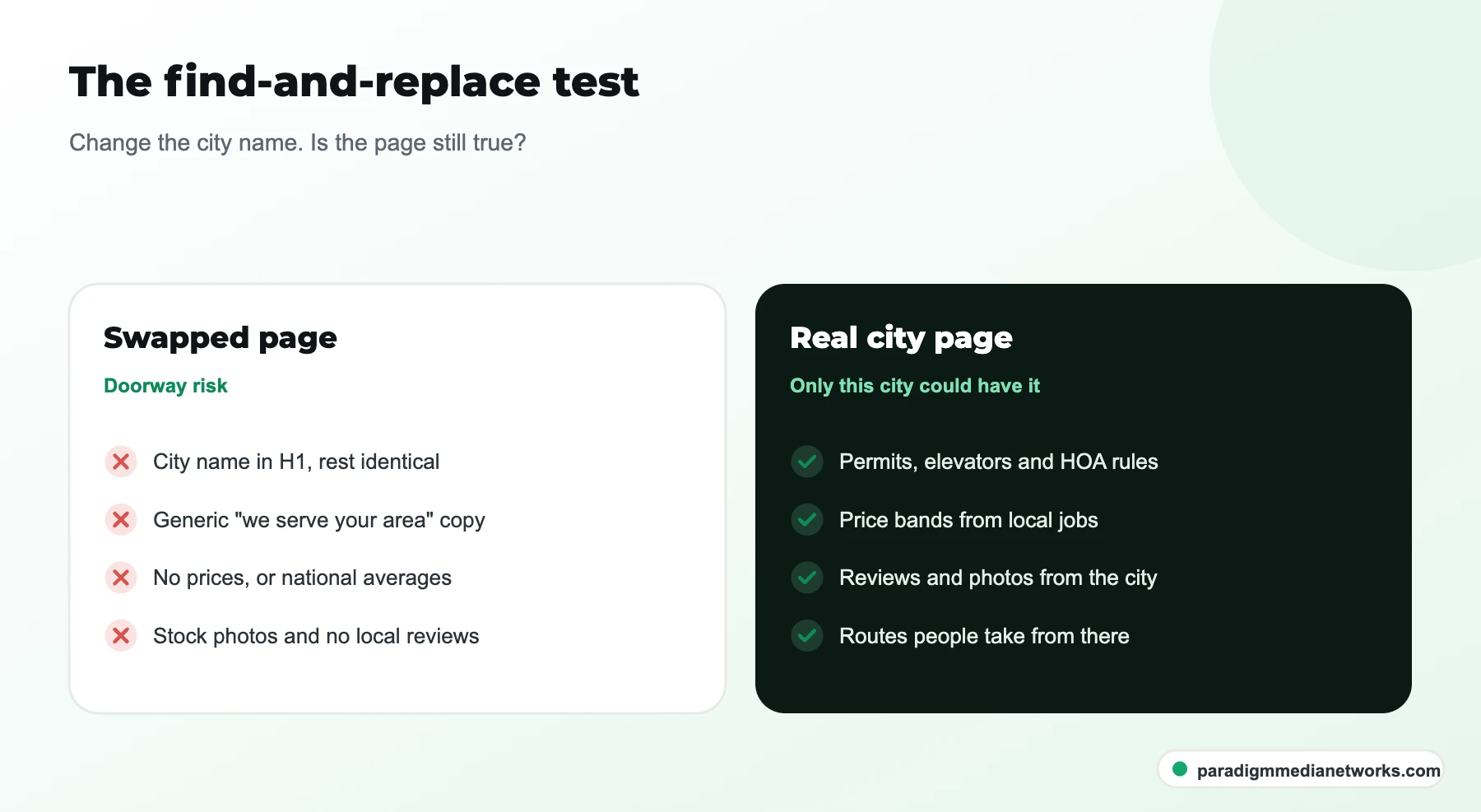
- Google's spam policies name pages that differ only by place name as doorway abuse. The find-and-replace test catches them before Google does.
- Measure each city page on calls and booked moves from that city, and merge or cut pages that earn neither after a fair run.
What is a moving company city page?
A moving company city page is a landing page that explains how a mover handles local moves in one specific city, built to rank for searches such as "movers in [city]" and to convert visitors from that city into quote requests.
A city page is different from a route page and from a service page, and mixing them up is the most common reason city pages underperform. A route page answers "Dallas to Orlando movers" for someone researching a long-distance move. A service page explains one service, such as packing or storage, wherever you offer it. A city page answers the local question: who moves homes in this city, how, and for roughly what price.
| Page type | Example search | What the visitor needs | Links to |
|---|---|---|---|
| City page | movers in Tampa | Local coverage, access rules, local price bands, local reviews | Nearby city pages, routes from that city, services |
| Route page | Dallas to Orlando movers | Transit time, interstate pricing bands, licensing | Origin and destination city pages, cost guides |
| Service page | apartment movers, piano movers | What the service includes, who it suits | City pages where the service is offered |
| Cost guide | cost to move a 3-bedroom house | Honest ranges and what changes them | City and route pages |
Which cities should get a city page?
A city should get its own page only when your crews work there regularly, you have completed jobs there, and you can write specific, true things about moving in that city. Everywhere else goes on one service-area page that lists the cities you cover.

Start from your job records, not a keyword tool. Export the last twelve months of booked moves and count them by origin city. Then run each candidate city through six questions.

Keep the list aligned with your Google Business Profile. Google allows up to 20 service areas and says the overall area should not extend more than about two hours' drive from your base, according to Google Business Profile Help. A city page for a market outside that area is a warning sign that the page is aimed at search engines rather than customers.
Common mistake: building pages for every suburb within 60 miles because the keyword tool shows volume. Without crews, jobs or local detail behind them, those pages are the near-duplicate pattern Google's spam policies describe as doorway abuse, and they rarely convert even when they rank.
What goes on a moving company city page? The 12-block template
A moving company city page should contain twelve blocks in a fixed order: a direct answer, local services, local move realities, price bands, crew coverage, local proof, a city FAQ, nearby areas, routes from the city, licensing, a quote form and matching schema.
The order stays the same on every page so visitors and search engines know where to look. What changes is the content of each block. The last column is the one that matters: if a block is not unique per city, keep it short and let the unique blocks do the work.
| Block | What it says | Where the facts come from | Unique per city? |
|---|---|---|---|
| 1. H1 and direct answer | "Local movers in [city]": who you are, what you move there, how to get a quote, in 40 to 60 words | Your service mix in that city | Partly |
| 2. Local services | Which services you actually offer in this city (packing, storage, apartment, commercial) | Dispatch and job records | Yes |
| 3. Local move realities | Parking permits, elevator bookings, HOA move rules, stairs, street access, traffic windows | Crew leader interviews, city and building rules | Yes |
| 4. Price bands | Typical ranges by home size for local moves in this city, with the period they cover | Your own completed jobs | Yes |
| 5. Crew coverage | Nearest yard or depot, how often crews are in the city, typical lead time | Scheduling data | Yes |
| 6. Local proof | Reviews from customers in this city, photos from local jobs | Google reviews (with permission), job photos | Yes |
| 7. City FAQ | Three to five questions customers in this city really ask | Call notes, quote requests | Yes |
| 8. Nearby areas | Neighborhoods and nearby cities you also serve | Your service-area list | Yes |
| 9. Routes from this city | Where people from this city most often move, linking to route pages | Long-distance job records | Yes |
| 10. Licensing | Your USDOT number for interstate work and any state license | Your registrations | Partly |
| 11. Quote form | Short form with city prefilled, tracked phone number | Website and call tracking | No |
| 12. Schema | MovingCompany and Service markup that matches the visible page | The page itself | Partly |
How do you write the local move realities block?
You write the local move realities block by interviewing the crew leaders who work that city and recording what makes moves there harder, slower or different, then checking any rule they mention against the city or building's own published guidance.
This block is where a city page earns its place, because no competitor can copy what your crews know. Fifteen minutes with a crew leader usually produces more usable detail than an hour of desk research.
- Ask what slows jobs down. Which buildings need the elevator reserved, which streets have no truck access, which complexes limit move hours.
- Ask about parking. Does the city issue temporary no-parking permits for moving trucks, and who usually applies for them?
- Ask about housing stock. High-rise apartments, older homes with narrow stairs, new subdivisions with HOA rules. Each changes crew size and timing.
- Ask about timing. Traffic windows, university move-in weeks, lease turnover dates that fill the calendar.
- Verify before publishing. Check permit and HOA claims against the city or building's own pages, and link to them where they exist.

How do you show prices on a city page without guessing?
You show prices on a city page by publishing ranges from your own completed local moves in that city, grouped by home size, with the date range they cover and the factors that move a quote up or down.

Price is the question customers ask first, and it is also the block competitors most often leave out. Pull completed local jobs for the city from the last six to twelve months, group them by studio, 1-bedroom, 2-bedroom and 3-bedroom-plus, and show the middle of each range rather than the extremes. Then list what changes the number: stairs and elevators, long carries, packing, specialty items, weekends and month-end dates.
If you do not yet have enough jobs in a city to show honest bands, that is useful information too: it usually means the city is not ready for its own page.
How should city pages link to route pages and each other?
City pages should sit under one service-area hub, link sideways to nearby city pages, link out to the route pages for the moves that start in that city, and receive links back from those route pages and from your cost guides.
- One URL pattern: pick one, such as /movers/tampa/ or /tampa-movers/, and use it for every city.
- A hub page: an areas-we-serve page listing every city page and every city you cover without a page.
- Sideways links: two to four nearby city pages, chosen by real crew coverage rather than alphabetical order.
- Out to routes: the long-distance routes that most often start in this city, so long-distance researchers land in the right place.
- Back from routes and guides: each route page links to its origin and destination city pages; each cost guide links to the cities it mentions.
On Moving Hub, a USDOT-licensed long-distance mover, this structure carried roughly 300 programmatic route and city pages from one controlled template. Over 16 March to 14 September 2026 the site earned 327K Google impressions and 907 clicks in Search Console, with an average position of 19.6, and reached 600+ ranked keywords in four months. Pages that could not say something specific about their city or route were not published.
What schema should a moving company city page use?
A moving company city page should use MovingCompany markup, a schema.org subtype of LocalBusiness, with areaServed set to the city, plus Service markup for the services offered there and FAQPage markup only if the FAQ is visible on the page.
Schema.org defines MovingCompany under LocalBusiness and HomeAndConstructionBusiness. Keep the address as your real yard or office; do not invent a street address in a city where you have no premises. Google's structured data guidelines require markup to match the visible content, so the city, services and FAQ in your schema should be exactly what the page shows.
| Property | What to put in it | Common mistake |
|---|---|---|
| @type | MovingCompany | Using a generic Organization type only |
| name and url | Your company name and this city page's URL | Adding the city to the business name |
| address | Your real yard or office address | Inventing an address in the target city |
| areaServed | The city, as a City with its name | Listing dozens of cities on one page |
| telephone | The tracked number shown on the page | A different number from the visible one |
Note that FAQ markup no longer produces FAQ rich results in Google, so treat it as a tidy description of visible content, not a ranking tactic.
How many city pages should you launch, and when do you cut one?
Launch city pages in small batches, starting with the cities where you already book the most local moves, and give each page a fair run of several months before judging it. Merge or remove a page that earns neither impressions nor calls and has nothing left to add.

Before each page goes live, run the quality check below. It takes ten minutes and catches most of the problems that turn a city page into a doorway page.

How do you measure whether a city page is working?
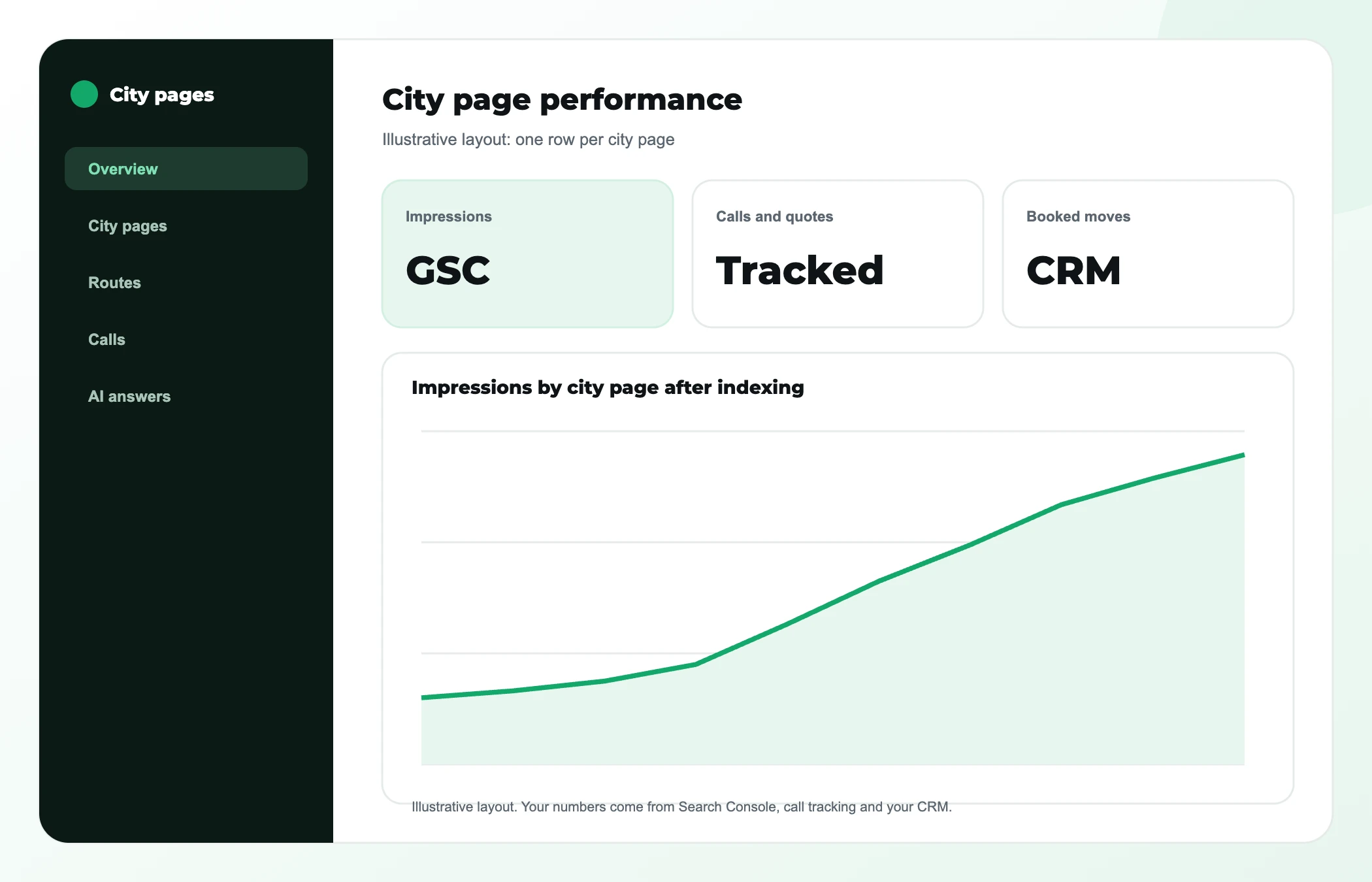
You measure a city page by its search impressions and clicks for that city's queries, the calls and quote requests it produces, and the booked moves those turn into, all filtered to that one page.
| Signal | Where to find it | What good looks like |
|---|---|---|
| Impressions for city queries | Google Search Console, filtered by page | Growing month on month after indexing |
| Calls and quote requests | Call tracking and form events by landing page | Requests from the right city and move size |
| Booked moves | Your CRM, with landing page recorded | Booked local moves you can attribute to the page |
| AI answers | Monthly prompts such as "best movers in [city]" | Your brand named or your page cited |
AI assistants are part of this now. When someone asks ChatGPT or Google AI Mode for the best movers in a city, the answer leans on sources that describe your business clearly and consistently. A city page with real local detail gives them something to cite. Our guide to how movers get recommended by ChatGPT covers the other signals, and the free AI visibility checker gives a quick baseline.
Should you build city pages yourself or hire help?
You can build a handful of city pages yourself with this template if someone can interview crews and pull job data. Hire help when you need dozens of city and route pages from one template, when the site has technical problems, or when city pages must work alongside Google Ads and AI search tracking.
City pages are one part of a wider system. For the full picture, read our complete guide to SEO for moving companies and the moving company local SEO playbook for Google Business Profile, citations and reviews. If you would rather have the template, data collection and page builds handled for you, see our moving company SEO services.
Who this is not for: a mover that serves one city from one yard. One strong homepage, a complete Google Business Profile and a service-area page usually beat a set of thin city pages.
Moving company city pages: common questions
How long should a moving company city page be?
A moving company city page should be as long as the city's real detail allows and no longer. Google says it has no preferred word count in its helpful content guidance. In practice, a page with honest price bands, local move realities, local reviews and routes is usually several hundred words; a page padded to a target length with generic copy is weaker, not stronger.
Can I use the same template for every city page?
Yes, a shared template is fine for structure: the same block order, design and form. What must change is the content inside the blocks. If you can turn one city page into another by find-and-replace on the city name, the pages are near duplicates and risk being treated as doorway pages.
Should city pages target neighborhoods too?
Mention neighborhoods inside the city page where your crews work and where access differs, such as high-rise districts or older streets. Give a neighborhood its own page only when it has enough distinct demand and detail to pass the same tests as a city. Most movers are better served by one strong city page.
Do city pages help with the Google Map Pack?
City pages support Map Pack visibility indirectly by giving Google a clear, relevant page for the city, but the Map Pack depends mostly on your Google Business Profile, proximity and reviews. Link your profile to the page that best matches its location and keep business details identical on both.
Should a city page show my USDOT number?
If you carry out interstate moves, showing your USDOT number on city pages helps customers verify you. According to the FMCSA, interstate moves are governed by its rules, while customers unsure about a local move are told to check with the mover and state and local authorities, so state any state license that applies too.
About the author
Jahid Hussain is the Founder of Paradigm Media Networks, a full-stack growth agency for US and UK service businesses and B2B SaaS. He has 7 years of experience in growth marketing, SEO and performance marketing, previously worked in multiple B2B firms and holds an MBA in Marketing. The agency has trained 500+ marketers and scaled 30+ brands. Connect on LinkedIn.

One team, one revenue number
Strategy is led by Jahid Hussain, founder of Paradigm Media Networks, with 7 years in growth marketing, SEO and performance marketing and an MBA in Marketing. SEO, AI search, paid media, content and web run as one system, so nobody hands you a report that contradicts another vendor’s.
- 500+ marketers trained and 30+ brands scaled
- Published results you can check: HVAC case study and Moving Hub case study
- Reporting on calls, leads and booked jobs, not just rankings
Find out which of your cities deserve a page
Send us the cities you serve and your rough job counts. On a free 30-minute call we will tell you which cities pass the gate, which existing pages to merge, and which routes should link to them.
✓ Free 30-minute call · No pitch decks · Walk away with a real plan
What you walk away with
- Which cities qualify for their own page
- City pages to keep, merge or cut
- Route links each city page needs
- Which AI answers name you or a competitor